
Navigation Best Practices That Reduce Bounce
People do not use site navigation for decoration. They use it to make a quick judgement about where to go next and whether your business looks like it understands what they need. Most arrive with a job in mind, even if it is as simple as checking services, pricing, location or proof that you are a credible option, and the menu is often the first place they look. I see this a lot on rebuilds: the problem is rarely that a site has too little in the menu, but that the labels are vague, the structure goes too deep, or the patterns change from one section to the next. Clear labels, sensible depth and predictable navigation reduce that friction, which gives more visitors a fair chance to keep moving instead of backing out.

Why navigation affects bounce in the first place
People stay when they can quickly work out where they are, what you offer, and where to go next.
Most visitors are making a fast decision, not admiring the layout. They are checking whether your site makes sense for the task they came to do, and navigation acts as decision support at that moment. A clear menu helps them orient themselves within seconds, which lowers the chance of an early exit caused by uncertainty rather than lack of interest.
Confusion creates doubt very quickly
If someone lands on a service business website and sees menu items like Solutions, Insights or Discover, they have to stop and interpret what those labels mean. That small pause matters. I often see good businesses lose enquiries because the navigation hides basic answers such as services, sectors, pricing approach, case studies or contact details behind language that sounds polished but says very little.
First impressions come more from clarity than style. A smart-looking header does not help if people cannot tell where to click for the information they need, and that is why sites with fashionable web design patterns still underperform when the menu is vague or inconsistent. For service-led businesses in particular, the menu should reassure people that they are in the right place and that the next step will be straightforward.
That does not mean navigation alone fixes bounce, because visitor intent, page content and offer quality all play a part, but unclear structure regularly makes a decent site look less credible than it is.

Use labels people already understand
Choose menu wording that matches what clients are trying to find, not the language your business uses internally.
Most people scan a menu for familiar signposts such as Services, About, Pricing and Contact. Those words work because they answer the basic questions visitors already have in mind, and they do it without making anyone stop to interpret what you mean.
Clear labels remove a small but costly pause
Labels like Solutions, Discover or Expertise often sound polished in a brand workshop, but they create hesitation on a live site. I regularly see menus where the business knows exactly what those words mean, while the visitor is still trying to work out whether they lead to services, case studies, articles or something else entirely.
The better approach is to match labels to intent. If someone wants to know what you do, Services is clearer than Capabilities. If they want to understand cost, Pricing or Fees is more helpful than Investment. If they are checking whether you are credible, About and Case Studies usually do more work than broad labels that try to sound distinctive.
Name the thing directly when the service is specific
For some businesses, it makes sense to go further and name a service category in the menu itself, especially when that is how clients search and speak. A firm offering Web Design, WordPress Development or SEO can often use those labels directly rather than hiding them under a generic Services item, provided the list stays short and the wording reflects real client questions rather than internal department names.
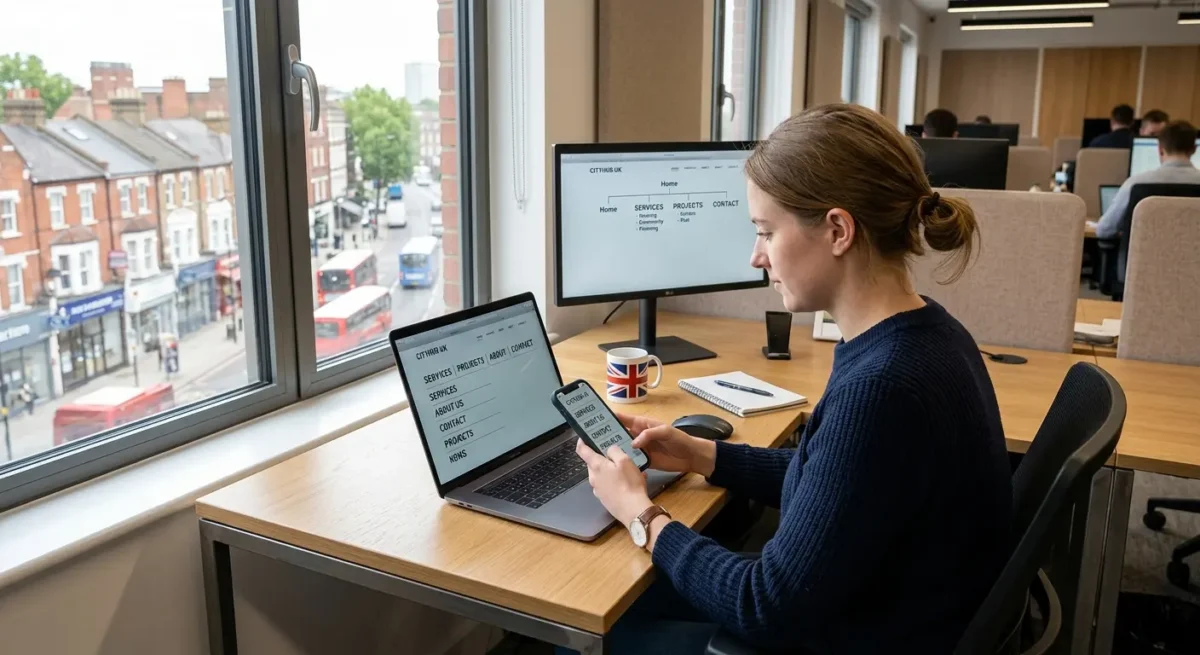
Keep the structure shallow enough to scan
Show the main routes clearly, so people can reach important pages without digging through layers, especially on a phone.
Most visitors should be able to get from the homepage to key pages in a small number of clicks, not because there is a magic rule, but because every extra step creates another chance to lose them. If someone wants services, pricing, case studies or contact, those paths should feel obvious straight away.
Broad is not the same as cluttered
A broad menu puts more top-level choices in front of people. A deep menu hides those choices inside multiple layers. For a typical service business, a slightly broader menu is often easier to use because people can scan it quickly and make a decision without opening one panel after another.
Deep navigation tends to cause more trouble on smaller screens, where submenus are tucked behind icons, accordions or off-canvas panels. I often see useful commercial pages buried under About, then Company, then Services, then a category page, which means the visitor has done far more work than they should need to do.
Keep enough detail without hiding the important pages
There is always a trade-off between simplicity and completeness. Cut too much and people cannot find the detail they need. Add too much structure and the site starts behaving like a filing cabinet. In practice, the right balance depends on how many real services, sectors or content types you need to present, but the commercially important pages should nearly always sit closer to the surface than the nice-to-have ones.

Make the next step predictable
Keep routes, labels and layouts consistent so people can move forward without stopping to work things out.
People build confidence quickly when the site behaves the same way from page to page. The main navigation should stay in the same place, use the same order, and offer the same core routes whether someone lands on the homepage, a service page, a case study or an article. If the header changes halfway through the journey, or key links disappear on inner pages, visitors start checking where they are instead of carrying on.
Use one name for one destination
I often see businesses call a page Services in the menu, then Our Expertise as the page heading, then Work With Us on the button. That forces the visitor to translate three different labels for the same thing. If the menu says Web Design, the page heading can say Web Design, and the button can say Enquire about Web Design. The wording does not need to be identical everywhere, but it should clearly describe the same action or destination.
Remove surprises from the path
Unexpected interactions are one of the quickest ways to increase drop-offs. A button that opens a hidden panel instead of taking someone to the contact page, a menu item that only expands on hover, or a service card that leads to a vague overview rather than the promised detail all create friction. On a service site, a predictable path is usually straightforward: homepage to service page, service page to relevant case study or pricing guidance, then a clear enquiry page or short contact form.
The same principle applies inside pages. If every service page follows a familiar structure, with overview, process, examples, common questions and a visible next step, people learn how to use the site after one page and can move faster through the rest of it. That matters even more for busy decision-makers who are comparing options during a lunch break or on the train.

Prioritise the pages that matter to the business
Use the main navigation to guide people towards the pages that support buying decisions, not every page the site happens to contain.
Most business sites have a small group of pages that do the real commercial work. Usually that means core services, relevant case studies, a clear About page, and an obvious Contact or Enquire route. The exact mix depends on the business, but those are the pages people tend to look for when deciding whether you are credible, relevant, and worth speaking to.
Give secondary pages a quieter place to live
Legal pages, tag archives, old news sections, broad category listings, and other low-intent content still matter, but they rarely deserve equal weight in the header. If a visitor sees Privacy Policy, Careers, Press, Archives, and three blog categories before they see the services you actually sell, the navigation is working harder for the sitemap than for the business. Footer links, utility navigation, on-page links, and well-structured hubs usually handle that material far better.
This is not about hiding useful information. It is about matching prominence to intent. Someone comparing suppliers usually wants to know what you do, who you do it for, what the work looks like, and how to get in touch. Someone looking for terms and conditions can still find them easily without those links competing with high-value routes on every page.
Make room without making a mess
If you have more content than the header can sensibly hold, group it by user need rather than forcing everything into the top line. A single Resources or Insights section can hold articles, guides, and updates. A Services overview can introduce specialist pages without listing every variation in the main menu. That keeps the header focused while still giving deeper content a clear home once someone is ready for it.

Web design for mobile without hiding important choices
Keep the menu compact, but make the main routes and contact actions obvious from the start.
Mobile visitors usually have less patience for figuring things out because the screen shows less at once and the effort feels higher. If the menu icon opens a crowded list, the labels are vague, or important pages sit three taps deep inside expanding panels, people often give up before they understand what you do.
Do not bury the pages that help people decide
On smaller screens, the key pages still need priority. That normally means core services, a clear About page, case studies or proof of work where relevant, and an easy route to contact. I usually prefer one obvious enquiry link or button outside the main menu, or placed right at the top of it, rather than making someone open several levels just to find out how to get in touch.
Keep the structure short enough to scan
Long accordion menus are a common problem on content-heavy sites because they turn simple navigation into a memory test. People open one section, then another, then lose track of where they are. The same thing happens with overloaded hamburger navigation that tries to carry every page, category, archive, and utility link in one place. A shorter menu with better grouping is usually more useful than a complete menu with no sense of priority.
The small details matter here. Tap targets need enough space that people can hit the right item first time, especially in stacked lists where links sit close together. Menu wording also has to work harder on mobile. Short, plain labels such as Services, Pricing, Case Studies, and Contact are easier to scan than clever phrases or internal terminology that only makes sense to your team.

Use navigation cues inside pages as well
Help people move forward with links, structure, and signposts beyond the header
A header can only do so much. Once someone lands on a page from Google, AI search, email, or a direct link, the main menu is no longer the only thing guiding them, and in many cases it is not the first thing they use. The page itself needs to show what to read next, where to go for proof, and how to take the next sensible step.
Internal links should feel useful, not forced
Good internal links act like quiet direction rather than a list of random options. On a service page, that might mean linking to a relevant case study, a pricing or process page, or a contact page with the enquiry route that fits that service. Stuffing paragraphs with keyword-heavy links usually makes pages harder to read and rarely helps decision-making.
Breadcrumbs can help on larger sites with clear hierarchy, such as sites with multiple service categories, resource hubs, or sector pages, because they show where the current page sits and let people step back without using the browser button. On smaller brochure sites with a shallow structure, they often add very little and can become visual clutter if every page already has an obvious place in the menu and the page heading is clear.
Service pages should point to the next decision
A strong service page does more than explain one offer. It can signpost related services, answer likely follow-up questions, and direct people towards proof or contact without making them hunt. If someone is reading about WordPress development, it often helps to surface links to website design, SEO foundations, support plans, or recent project examples, because that matches how real buying decisions usually unfold.

Spot the signs your navigation is getting in the way
Look for the small bits of friction people mention or work around before you get deep into reports.
One of the clearest warning signs is hearing the same basic questions from prospects and clients when the answers are already on the site. That usually means people are not seeing key pages at the right moment, or the labels are too vague to give them confidence that the answer sits there. If someone keeps asking about location, pricing approach, lead times, or what happens after enquiry, I would look at navigation before I blamed the copy.
Watch what people use as a shortcut
Another common pattern is people using the site search, or going straight to the contact form, to find simple information that should be easy to reach from the main menu. I see this on sites where contact becomes the catch-all route because the structure does not make obvious paths for services, sectors, FAQs, or pricing. It creates more admin for the business and more effort for the visitor.
Important pages can also sit there quietly with very little engagement, even though they matter to sales. That might be a core service page, a case study section, or a page explaining process and scope. If the business keeps saying, “people never seem to read that bit”, there is a fair chance the page is buried, grouped badly, or labelled in a way that means little to anyone outside the company.
How menus get worse over time
A lot of navigation problems come from repeated stakeholder additions rather than one bad decision. A director wants a new top-level item, sales wants another link for a campaign, someone adds a portal login, then a location page gets promoted because it feels important internally. Bit by bit, the menu stops reflecting how visitors make decisions and starts reflecting office politics, which is why older sites often feel crowded, uneven, and oddly hard to use.

How to improve navigation without rebuilding the whole site
You can often make the site easier to use by tightening labels and structure before you touch the design.
A sensible first step is to review the menu labels against the words customers actually use. Internal terms such as “Solutions”, “Capabilities” or “Insights” often make perfect sense to the business and very little sense to everyone else. I would usually compare the menu with enquiry emails, sales calls, and the phrases clients use when they describe what they need, then rename items so the choice feels obvious rather than interpretive.
Bring key pages closer to the surface
Then check whether your priority pages are too buried. If a service that drives revenue sits under two dropdowns, or the process page only appears from within body copy, people will miss it unless they are already determined to keep looking. Important pages do not all need to sit in the top navigation, but they should be easy to reach from the main paths people take through the site.
Most menus also carry links that no longer earn their place. Old campaign pages, duplicated service links, generic “Resources” items with one blog post underneath, and utility links promoted as if they matter to every visitor all add noise. Removing low-value options usually improves decision-making faster than adding more links ever does.
Test the revised version with real people
Before treating the new structure as finished, ask a small group of typical users or sensible colleagues to find a few key things without help. Give them plain tasks such as finding a core service, checking how the enquiry process works, or locating proof that you work in their sector, and watch where they hesitate. You do not need a long research phase for this to be useful, just honest reactions from people who are close enough to the customer mindset to spot what still feels unclear.
Things People Want to Know
A Web Designer’s Take
We often see navigation treated as a late design choice, and a common problem is that businesses keep adding menu items as new pages appear until the whole thing loses shape. In practice, one of the most useful steps is reviewing the primary menu against page purpose before design starts, because that forces clear decisions about what deserves top-level visibility and what does not.
If a visitor has to stop and interpret the menu, the structure is probably doing too much. For most business websites, a shorter, more predictable navigation is the safer choice than trying to showcase everything at once.
You might like these too
These sit in the same category as the one you are reading. They follow the same thread and offer a bit more depth. Have a look if you want to go further.